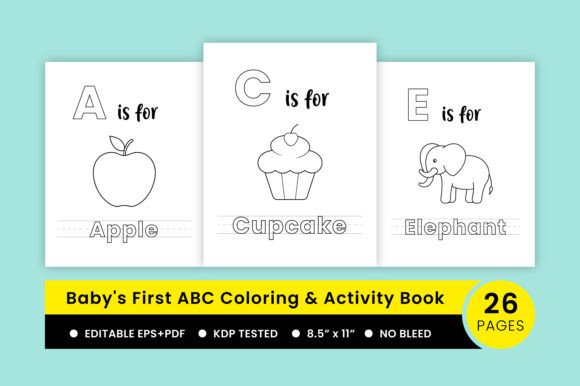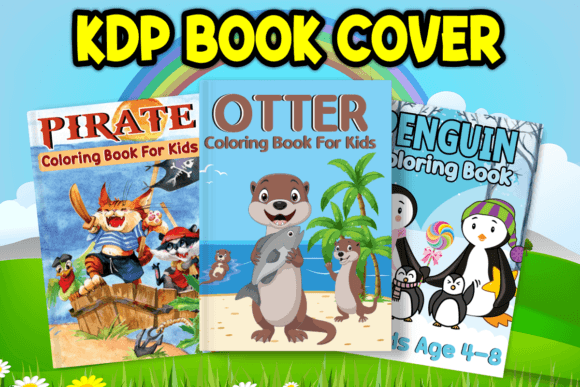
Best Selling KDP Coloring Book Design
If you’ve ever spent hours tweaking a book cover in Canva—only to realize the resolution won’t pass Amazon KDP’s upload requirements—or struggled to adjust fonts and colors across multiple cover variants, you know how much time a truly flexible, professional-grade design can save. That’s exactly what the Best Selling KDP Coloring Book Design delivers: not just aesthetics, but workflow efficiency built into every layer.
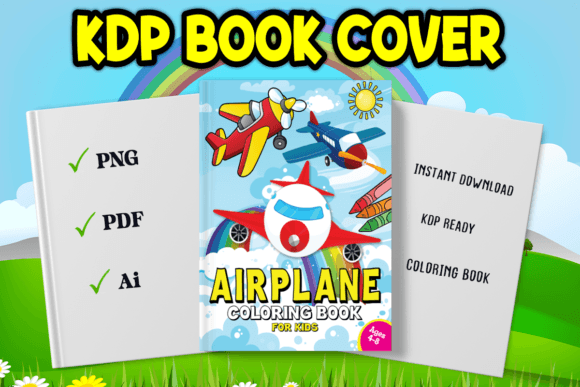
This isn’t a generic template slapped together in PowerPoint or exported from a free online tool. It’s crafted in Adobe Illustrator—the industry standard for scalable, print-ready assets—and built specifically for creators launching coloring books on Kindle Direct Publishing. What you get is two polished, market-tested cover styles (front + spine + back), each fully editable down to individual strokes, swatches, and text boxes. No rasterized text. No locked layers. Just clean vector files that respond predictably when you resize, recolor, or rebrand.
When You’ll Reach for This Design—Not Just When You’re Launching
It’s easy to assume a cover template is only useful right before hitting “Publish.” But real-world use is messier—and more frequent. Consider these everyday moments:
- You’re repurposing an old coloring book for a new audience—say, shifting from “mandalas for adults” to “mindful nature scenes for teens.” With the AI file open, you swap out the title font in under 90 seconds, adjust the color palette to match your new interior theme, and export fresh PDFs for KDP—all without redesigning from scratch.
- You’re running A/B tests on Amazon—trying two different cover moods (playful vs. serene) to see which drives more clicks. Instead of hiring a designer for each variant, you duplicate the Illustrator file, change the background illustration style, update the subtitle treatment, and render both as high-res PDFs ready for KDP’s cover calculator.
- You’re bundling books—like combining “Ocean Animals” and “Forest Friends” into a single “Wildlife Wonders” collection. The cover layout already includes balanced visual hierarchy and proper bleed margins, so adding a “Bundle Edition” banner or adjusting the subtitle line spacing takes minutes—not hours.
Who Benefits—and How It Fits Their Actual Workflow
A freelance illustrator launching their first KDP title doesn’t need complex branding systems—they need clarity, speed, and confidence that their cover will look sharp at 6” x 9” and scale cleanly to thumbnail size. This Best Selling KDP Coloring Book Design gives them that: the included PNG is optimized for Amazon’s preview pane, while the AI file lets them drop in their own hand-drawn logo or signature brushstroke without worrying about pixelation.
For educators creating supplemental classroom resources—think “States & Capitals Coloring Workbook” or “Science Vocabulary Sketchbook”—time is the scarcest resource. They’re not designers by trade. They’re teachers who need to add school names, grade levels, or curriculum tags to covers *between classes*. The editable layers are labeled intuitively (“Title Text,” “Author Line,” “Background Shape”), so even someone with minimal Illustrator experience can make targeted changes without breaking alignment or proportions.
Small publishers managing multiple authors face another reality: consistency across catalogs. If three different artists submit interiors for “My First Yoga Coloring Book,” “Breathing Buddies,” and “Calm Corner Activities,” having one cohesive cover system—same typography rhythm, same spacing logic, same safe zone for KDP’s trim—helps build instant brand recognition. The Best Selling KDP Coloring Book Design serves as that anchor, reducing back-and-forth on formatting and letting editors focus on content quality instead of margin adjustments.
What to Check Before You Download—Because Not All “Editable” Files Are Equal
“Editable” means different things depending on how the file was built. Before using this Best Selling KDP Coloring Book Design, verify these practical points:
- Fonts are outlined or embedded: The included AI file uses standard system fonts (or outlines them), so you won’t hit missing-font warnings when opening it on a different machine.
- Bleed and safety zones are marked: Illustrator artboards include visible guides for KDP’s required 0.125” bleed and 0.25” safe zone—no guesswork when positioning critical text or illustrations.
- Color mode is CMYK: Unlike RGB web templates, this is pre-set for print accuracy, so your vibrant coral cover won’t shift to muddy orange after printing.
- Layers are grouped logically: Backgrounds, title blocks, and decorative elements live in separate, named layers—so turning off a pattern overlay or swapping a frame element is one click away.
If you’re used to working in Photoshop or Canva, expect a slight learning curve—but not a barrier. Illustrator’s Pen Tool isn’t needed here; most edits happen via the Selection Tool and Color Picker. And because the package includes both the AI source file *and* a ready-to-upload PDF (300 DPI, CMYK, with embedded fonts), you can start with the PDF today and explore deeper customization later.
Real Outcomes—Not Just Features
That high-resolution PDF isn’t just “nice to have.” It means your cover passes KDP’s automated checks on the first try—no rejected uploads, no waiting for support replies, no lost sales momentum during launch week.
The included PNG isn’t just a preview—it’s sized and compressed for Amazon’s product page thumbnails, so your cover stays crisp even when shoppers scroll past on mobile.
The fact that it’s built in Illustrator doesn’t just signal “professional.” It means if you decide next month to add foil accents for a premium paperback version, or adapt the cover for a matching journal or sticker pack, the same vector foundation scales cleanly—no redrawing, no quality loss.
And when you download this Best Selling KDP Coloring Book Design, you’re not buying pixels. You’re buying time back—time spent refining your interior line art, writing better descriptions, researching keywords, or connecting with your audience. That’s the quiet advantage no template advertises, but every creator feels: fewer technical roadblocks, more creative runway.